Category: Charts
Maptech print, new home at Richardson's
Aug 1, 2008

This week Maptech sold it paper chart and guide book division to Richardsons’ Publications, which was already producing similar products. In fact, a principal there was working at BBA/ChartKit when Maptech purchased it in 1997. “Things have come full circle.” A nice aspect to this deal is that most of the Maptech print staff will now work for Richardsons’. Sounds like the various Maptech chart books and guides will carry on nicely..
Continue Reading
RNC disruption, not as bad as it sounds?
Jul 24, 2008

The U.S. Government has stopped distributing electronic updates to the official raster charts for up to 12 months? That doesn’t sound good. NOAA’s download site doesn’t mention a time frame for the “Interruption” but the U.S.C.G. internal bulletin shown in part above is more dire. (It’s published in full on Kurt Schwehr’s site, where you can also check out the Chart of the Future.) This is bad news for all of us who like using RNCs (Raster Navigation Charts) in the many charting programs that support them, not to mention Furuno, which decided to go with U.S. RNCs (and ENCs) in NavNet 3D and is already taking some heat for it. When NOAA decided to serve up RNCs free back in 2005, one of the big pluses was that they would be kept very current, and there were even little patch updates available. Besides, isn’t it depressing to any American that our government can’t even keep a relatively simple and inexpensive program like this going?
Continue Reading
Memory-Map, new tricks and free starter edition
Jul 9, 2008

It’s wicked hot and sticky here, especially at this big computer, so what a fine time to receive a Panbot e-mail suitable as a guest entry! Richard Stephens—developer behind, and sometimes soggy user of, Memory-Map charting software—recently sailed aboard the Tripp 33 TRPXPRS in the Bermuda Ocean Race and reports:
Continue Reading
NN3D chart issues II, & some news
Jul 7, 2008

If you'll take a moment to read Ben's comments on Panbo, you'll understand the problem. There is data on the NOAA charts that is not on the NN3D raster chart view. There is a problem with the conversion from the Maptech format to TimeZero format.
Geez Louise! I may not have expressed myself well, but that’s not what I wrote about Furuno NavNet 3D chart issues last week. And the post above is just one of many that I think are way wide of the mark. According to some on Hull Truth the NN3D raster and vector charts for the U.S. are both useless, it was actually Navionics vectors that was shown at the boat show demos, the MFDs show less chart data than the Black Box because of video chip differences, etc. It’s mostly baloney, but Furuno USA has been paying attention to early user dissatisfaction with the vector charts. In fact, I got a call today from Camas with the news that Furuno will be selling U.S. NN3D vector charts based on Navionics data by early 2009. But let’s break that down:
Continue Reading
Furuno NN3D charts, some issues?
Jun 30, 2008

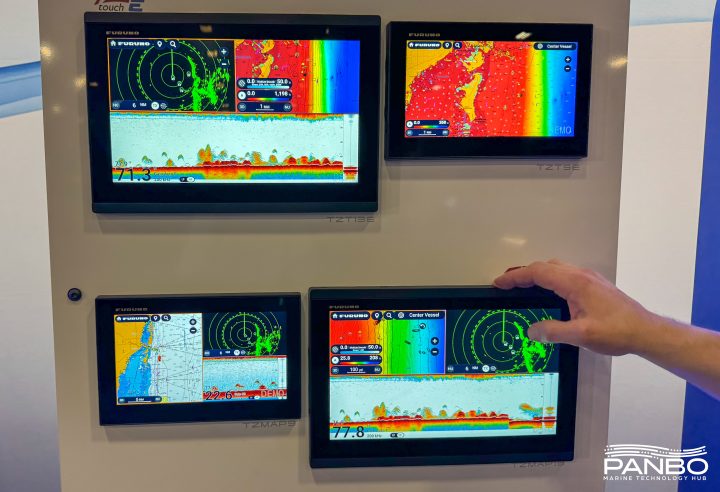
The good news is that more Furuno NavNet 3D MFDs are getting delivered and installed; the bad news is that some of the first users aren’t happy with the charts, neither the rasters nor the vectors. For instance, the two empty MFD12 holes we saw a while back are finally filled, but now the owner—Hull Truth poster “PSW”—is wishing he could use Navionics cards in his MFD12s, as are fellow posters “srmote” and “snowpup”. And I know that our own frequent poster Russ was not pleased with his first look at the charts on his MFD8. My own NN3D experience off Cape Cod did not leave me nearly as negative, but I did note some weaknesses. It helps that I like raster charts and am used to plotting on them, but I didn’t think they worked very well on the 8” display, as suggested in the screen above. Some other levels of zoom/chart scale looked better, and some worse. 3D perspective can put more info on the screen—and fast panning/zooming make it all more tolerable—but there’s just no getting around the fact that you’re looking at a large paper chart through an 8” window. The rasters looked fine to me on the 15” display that was also on the test boat, and I’d guess they’d work OK at 12” (but the Hull Truth gang don’t seem to think so).
Continue Reading
V4 & P+, after a "real" factory reset
May 19, 2008

After I’d written my first impressions of the new E-Series 4.29 software and the Platinum+ charts it supports, I learned that I hadn’t done the “real” version of the recommended factory/master reset. You see, though Raymarine’s own FAQ is unclear about it, a reset done by powering up while holding down the leftmost soft key is apparently different, and deeper, than the one I’d done from the System Setup menu. I know for sure that this is true, as after a “real” reset yesterday, some of the problems I’d seen went away. For instance, I can pull up the System Diagnostics SeaTalkNG sub-menus now without causing a reset, though the device list there remains strangely empty (the new manual says it’s “for diagnostic use by authorized dealers” anyway). Much more important is how the test E seems be performing even quicker and looking better than what I’d noticed the first time around.
Continue Reading
V4 & P+, first impressions
May 12, 2008

I’ve been bench testing Raymarine’s E-Series V4 software update (aka 4.29) for a while now, mostly with a variety of new Navionics Platinum+ cards I borrowed. If you’ve read the comments to that V4 post, you’ll know that some upgraders have had to revert to 3.31, and I’m not surprised. There’s lots of changes in 4.29, and even my relatively unstressed test E-120—just a bit of N2K input; nothing attached via standard SeaTalk, SThs, or NMEA 0183 right now—goes a little twitchy sometimes. Like suddenly the 3D rotary controls don’t work unless I do a reset. And it invariably resets when I try to query the new STng (N2K) diagnostic screen, no matter what’s on the backbone. Plus I’ve yet to see P+’s live tide/current icons or the now built-in Fish’N Chip bathy data, despite another 4.29 flash and master reset (apparently Raymarine and Navionics are working on that latter one). However, I’d certainly recommend updating; just be prepared to go back to 3.31 if needed, and be on the lookout for the update to the update surely in the works.
Continue Reading
Chart ruminations, from an undisclosed location
May 10, 2008

Panbo commenters don’t seem very interested in Spot sharing, but I think it’s a cool deal for long range cruisers like Milt and Judy Baker, not to mention working mariners like Capt. Richard Rodriguez. Note how the Baker’s custom message is displayed next to their anchorage on the French Riviera, above and bigger here . And today I notice that Mad Mariner apparently has arranged with West Marine for an extra special Spot deal ($132), and that West customer product reviews are all five star. Even the SSCA offshore guys are taking a cautious look at it
Continue Reading
Google marine mashups, the latest
Mar 20, 2008

The old days may be something like the new days, but not entirely! Check out the full screen of this NOAA raster/Google maps mashup; it’s the work of Just Magic, aka GeoGarage, and is not only way slicker than what we saw two years back, but is one of the neater Camden Harbor images I’ve ever seen. Of course it helps that Google has high res photo maps for my area now, and they register so darn perfectly with the raster chart. Try it live yourself, fool with those sliders upper right, search out your own harbor, and perhaps join me with big tip of the propeller beanie to those crazy Frenchmen in their GeoGarage.
Continue Reading
HotMaps Explorer, 10,000 lakes for $20!
Mar 13, 2008

Well, hot damn! How about a full featured PC planning product that includes maps for 10,000 U.S. lakes, all on a $20 DVD? I just heard about it this morning, but my first impression of Navionics HotMaps Explorer is “who wouldn’t?” Well, I suppose if you never, ever go out on lakes, but I do and was pleased to see that the coverage list includes a lot of Maine lakes. Now my favorite, Lake Megunticook, is not covered by any digital map maker, I don’t think, though I keep hoping that Navionics will do one of its high definition surveys there and let me see at least some of their techniques. By the way, the download of one HD lake map is included in HotMaps Explorer.
Continue Reading
C-Map Max recall, zero tolerance
Mar 3, 2008

So today I got a 512 Meg SD card and thus can now take screenshots on the Northstar M121. One I wanted to show you is this nifty “About” screen which includes the color coding for most of the unit’s possible input/output wiring, and which turned out to be particularly timely because C-Map just initiated a recall for certain Max chart cards if used with certain plotter software. If and when you go the C-Map Recall page, what you’ll need to know is the “cartridge code” shown in “Slot 2” above and the plotter’s software version, shown upper left. In fact, the recall only involves Max cards dated prior to October, 2006, and only certain plotters, mostly early versions of Si-Tex, Interphase, Standard Horizon, Cobra, Furuno, and European machines (that all run Max cartography).
Continue Reading
Maptech International Charts, prices slashed
Feb 22, 2008

One of my happiest discoveries at MIBS was not a new product or feature, but simply a matter of pricing and packaging. Maptech has radically reduced the hassle and cost of owning its international raster charts, really big time.
Continue Reading
Nobeltec alert, & other product problems
Dec 21, 2007

Yike. It seems that Nobeltec has guaranteed its support staff a busy holiday season by issuing the ominous sounding alert above along with update 9.3.2240 to its VNS and Admiral charting software. The exact chart regions/software combinations that have the problem are listed in the bulletin, and include the Northstar 972 but not the Simrad GB60. The good news for anyone who has trouble with the update is that Nobeltec recently extended its support lines to 13 hours a day during the week and 10 hours a day on weekends. The bad news for some is that with this update Nobeltec removes the ability to import S57 vector charts—for most people that means the free ENCs offered by NOAA—and even disables those already imported.
Continue Reading
Winter waypoint maintenance, tips from C-Map
Dec 12, 2007

Sort of like repairing or upgrading old instruments, you could also spend some winter off water time getting your waypoints and routes in order. C-Map has put together a nice tip sheet on how you might do that using their chart cards along with the nifty PC Planner product that lets you bring home plotter data and work with it and your C-Map charts on your computer. (To get the PDF, click on the orange card reader here.) You may not be up for making “chart art”, like above, but doesn’t it make sense to sort through the waypoints, tracks, and routes you accumulated last season?
Continue Reading
Navionics Platinum Plus cards, 8 gigs!
Oct 16, 2007

Navionics just announced its new Platinum+ chart cards, which I got a peek at along the coast of Cape Cod last month. As the name implies Plus, or “+”, takes Platinum’s numerous features up a notch, or two. The top down photo maps and panoramic port photos are higher res, the bathy data underlying the 3D screens is more detailed, and the coastal pilots are more tightly integrated. I was particularly struck by the photo maps.
Continue Reading
Navionics 2008, cruising with Giuseppe
Sep 7, 2007

Yesterday I got to spend a few hours on a Navionics test boat tooling around Bass River, Cape Cod (unfortunately damnable cars and planes were also involved in the trip). A few of us boating writers got to fool with eight chart plotters, and see first hand what Navionics is up to for 2008 (very cool, but I can’t write about it just yet). Another highlight was spending time with company founder Giuseppe Carnevali. This is not the first demo cruise I’ve taken with this gentleman and I’ve come to appreciate his fathomless enthusiasm for cartography, the technologies that make it better, and boating. He’s been a creative force in marine electronics since he and Fosco Bianchetti developed the first vector charts in the early 80’s. Yesterday it occurred to me that with Bianchetti selling C-Map and Darrell Lowrance finally retired, Giuseppe is one of the last of his generation still pushing this field forward. And he’s going strong.
Surface and multi-touch charting, oh yeah
Jul 17, 2007

Continuing on about how we’ve just gotten started with electronic cartography, check out the demo video at Perceptive Pixel showing the developers exercising two handed control over Google Earth and other imagery. Then there’s Microsoft’s new “Surface Computing”—also “multi touch”—nicely presented by Popular Mechanics on this video. It sure seems possible that the ‘surface’ could be one wizbang chart table…eventually. Meanwhile, Google has introduced Maplets, which means that users can now contribute mini applications as well as content. And Michael “heywhatsthat” Kosowsky has already created three, two of which I used in the mashup below (and bigger here). One very usefully overlays Michael’s topo lines and the other guesstimates new shorelines if sea level rises. Just add 150 feet and I’ve got waterfront!

PS 7/18: “…a quantum leap from our 2d/3d apps like Google Earth”? Check out this video about Seadragon and Photosynth (thanks, John!).
Charts etc., we've just gotten started
Jul 11, 2007

Pardon a slightly meta sidetrack, but two bits of the massive media flow got my attention. One is a Wired article about Google Earth which makes the case that the future of cartography is user data. “We're all mapmakers now, which means geography has entered the complex free-for-all of the information age, where ever-more-sophisticated technology is better able to reflect the world's rich, chaotic complexity.” Then there’s the news that scientists have calculated that the diameter of the globe is about 5 millimeters less than thought. Not even a quarter of an inch! Among other techniques, they used atomic clocks, quasars, and 70 radio telescopes to establish base lines, and they say that the precision they are after will help to better measure phenomenon like global warming, ocean currents, and tides. As amazed as most of are by all the information now available on a yacht’s bridge, I think we’ve just gotten started. (For some really interesting dope about related planet dimensions, and early cartography, check the beginning chapters of Nigel Calder’s How to read a nautical chart
, which also has practical uses!)
PS 7/12: It turns out that Captain Richard Rodriguez, who has a thing or two to say about the Boston ferry collision (see his fine blog), has also used Google Maps to mark the most frequently hit rocks in the San Juan Islands. What I’m talking about!
Heywhatsthat, more fun with maps
Jun 14, 2007

Where is this bubbling geographic/Internet stew going to take us (like EarthNC), and, in particular, what the heck else is being created nearly under my nose (like ActiveCaptain)? The latest is a rather amazing service created by one Michael Kosowsky out in the Lincolnville hills west of Panbo HQ. It began with Michael wondering what distant bumps he was seeing from his yard and now--much programming later--he's inventor/proprietor of Hey, what's that. Check it out. Right off the bat you'll see what's what from Mt. Battie, which happens to be where I took the header photo of Camden Harbor above. You'll see it centered in Google Maps with each visible peak marked by an icon, along with a panorama view above and a list of the spots to the right, each interactively clickable. But you've just gotten started.
Continue Reading
EarthNC Plus, & I'm outta here...
Apr 29, 2007

Following up on yesterday’s entry, here’s what the full EarthNC Plus looks like in my home harbor. Note the spot soundings and bathy lines. The 1:20,000 harbor chart has not become an ENC yet, but this represents all the essential data from the 1:40,000 coastal chart overlaid on what’s in many places (like Camden) the highest resolution photography available. But, of course, Google Earth’s photos live online, and as best I can tell, EarthNC Plus does not yet have a way to cache them to a laptop. Plus the suggested method of GPS navigation on these charts is Goops, which didn’t impress me.
Continue Reading
EarthNC Online, woohoo
Apr 27, 2007

EarthNC has come a long way since December. For one thing there is now an official Web site. And a few weeks ago the company introduced EarthNC Plus, a $50 CD package that can overlay all available ENCs on Google Earth. I’ve been testing it, and will write more about it soon. But today let’s look at EarthNC Online, the just introduced free viewer. You have to install a plug-in from GoogleEarthAirlines which lets you access G.E. from inside your browser. Sounds a little dicey, but it all worked fine for me (using Firefox 2.0).
Continue Reading
ActiveCaptain gets busy, & international
Apr 14, 2007

I’m pleased to hear that ActiveCaptain, the “Point of Interest bomb!”, is active indeed. Yesterday developers Karen and Jeffrey Siegel announced that the free site now has over 9,000 marinas and almost 1,000 anchorages, with 35,000 updates and 1,000 reviews from some 2,000 registered users. (And, by the way, hats off to our own frequent commenter “b393capt”, who is the second most prolific “Active Captain”). You can see the informative results of all this activity if you register and scan the U.S. coastline, and pretty soon the Siegels are going to add a “Local Knowledge” marker meant for favorite restaurants, hikes, uncharted shoals, etc.
Plus ActiveCaptain is going international. Already, for instance, there’s seed information for 500 marinas in the U.K.—as in Falmouth, Cornwall, above—ready for you Brit Panbo readers to elaborate on. Please do!
C-Map fishing charts, all but the bait
Apr 10, 2007

Yesterday another reader emailed, “What's new is the fishing electronics world? It is Spring time, and we just had the salmon opener here in San Francisco!” Well, how about a C-Map MAX Coastside Fishing Club chart card full of hi res bathymetry and other goodies useful for fishing from Pt. Conception, California, to Coos Bay, Oregon? Actually I’m a little confused by the press release’s mention of “exclusive Member’s Only fishing data like IGFA and state record information, local fishing regulations and favorite fishing spots of club members.” C-Map’s catalog seems to indicate that the card is available to anyone, the Coastside Fishing Club makes no mention of it, and, besides, it seems pretty similar to C-Map’s other Max Fish Bathy cards (see 2/06 press release). Maybe someone can straighten this out?
And, if you go way off San Francisco, keep an eye out for the unusual radar semi-submersible SBX-1, spotted with an AIS receiver setup that’s purportedly seen targets 1000 miles away.
PS 4/12: It turns out that this card is available to the public, but what most distinguishes it from the Max Fish card covering the same area is the inclusion of hot spots provided by the Club. Thank you Coastside!
NDI, bye bye?
Feb 21, 2007

NDI, or Nautical Data International, just announced that it’s selling its exclusive right to produce and license digital versions of Canadian charts back to the Canadian Hydrographic Service (CHS), effective on March 30. It sounds like that’s the end of a long and unpleasant affair I’ve discussed before, but who knows for sure? If you read the Q&A’s, you’ll find that NDI plans to stay in business, and to continue its suits against C-Map and Navionics. I haven’t followed this dispute closely, but have noticed that both those companies are now offering very reasonably priced Canadian charts, especially when compared to NDI’s PC charts. In fact, I know boats that have gone from PC to plotter mainly because of that price difference. Here’s hoping that CHS will make Canadian rasters and ENCs more affordable and easier to use.
Jeppesen & C-Map, "the game changes"?
Jan 30, 2007

As noted earlier today, the deal went down. Above is the scene this morning at C-Map USA’s Mashpee, Massachusetts, office as Operations Manager Chris Cox and General Manager Ken Cirillo unveil their new sign. Similar events took place at other C-Map offices around the world, and a press release went everywhere. The latter is a bit vague, but a Jeppesen spokesperson at the Denver headquarters gave me a little more color on what this acquisition may mean to marine electronics. The most specific item is that Jeppesen Marine’s recreational division, i.e. Nobeltec, will be integrating C-Map cartography into its products, though it may take six months or more, and the fate of Passport Charts is “yet to be determined”. Otherwise C-Map will be “business as usual”—i.e. same partners, sales outlets, and customer support facilities—at least during the six months it will take to integrate the company into Jeppesen. And the notion that C-Map’s hardware manufacturing facilities were not part of this deal, posted here back in August, was also confirmed.
As for that distinctly non-marine logo, the spokesman said they are working on a new branding scheme, but it’s hard to give up the plane after such longterm success serving that market. In fact, Jeppesen supplies 80–85% of commercial aviation operators with not just cartography, but weather, routing, and other essential data. At one point, the company printed two billion sheets of paper per year (!), though now, of course, this data has largely gone digital. Jeppesen is obviously an aviation powerhouse (and so was C-Map in the marine world), which is why the ad they’ve been running in some of the commercial marine magazines—now modified for C-Map’s home page—has weight. It reads, “What happens when a company with more than 70 years of experience pioneering navigational and operational information management solutions for aviators enters the marine market?…The game changes.” But, despite the hints, I guess we’ll have to wait to see exactly how.
C-Map 2007 cards, super gigando MAX sizes
Jan 30, 2007
It’s a happy day for navigators when C-Map is running out of adjectives to describe how large an area is covered by its latest chart cards. The press release is not online yet (update), and C-Map’s Web chart catalog doesn’t yet show them, but last week the company announced that in 2007 Wide-size cards will cover about five times the area for the same price. That means, as shown right, that $199 will get you every chart from the Canadian border through the Bahamas and up the west coast of Florida, with all Max features like animated tides & currents, custom marina charts (which I like a lot), and photos of inlets/harbors. $249 MegaWide cards will also get super-sized, one purportedly covering the entire East Coast, Caribbean and the Gulf Coast. Another covers the Gulf of Mexico, the Caribbean and all of South America, and a third covers the entire West Coast of Canada and the U.S. If you visit C-Map this morning you’ll see that the Jeppesen deal is now official, which I’ll have more on later today.
More on POI access, Navionics weighs in
Jan 22, 2007

Following my whining about the clumsy POI interfaces seen on many plotters and charting programs, Navionics sent up a powerful handheld they make (but would rather not advertise here, as it’s only available in Europe). They’re proud of how easily POIs can be found and browsed, and well they should be. There are at least two ways to get a list of local marinas, for instance, and the one below graphically points them out as you page through. Once selected, the particular marina's phone # goes into the title bar at top and right arrowing through the categories shows you what photos, Pilot book, or other info is available, and then you can drill down. When you get to, say, “other services” in the “info” section, nearby businesses with their own POI info are in blue and clickable. There are almost no dead ends, i.e. the interface doesn’t let you click for more information about something if there isn’t any (a gripe I have with Raymarine’s access to this same POI info). At any rate, Navionics made its point; a much better way to get at all this data is possible on even a small plotter. But that doesn’t make the data any more accurate. For instance, that’s not exactly where the Camden Yacht Club is (below). But some good news on that score is coming later this week. Posting will be jagged, though, as I’m on the road to points south (a little south).

Here comes 2007, ENCs + GE = EarthNC
Dec 27, 2006

It seems obvious that Google Earth and similar online mapping systems that allow users, individual and otherwise, to create their own overlays will somehow figure in the future of marine navigation, at least for sharing POIs and planning. But, get this, a small Florida company, DestinSharks.com, is already translating NOAA vector charts (ENCs) into Google overlays they’re calling EarthNC charts. I heard about it (thanks, Rich and Rich), signed up for the public beta test, and am impressed.
I was getting fancy in the screen shot above (bigger here), using GE’s tilt mode and 3D buildings, but check out how neatly the nav aids, bottom contours, and dredged channel lines lay out, and how (left) you can control overlay elements in familiar GE fashion. But I do hope they figure out how to round the depth soundings back to their original paper chart equivalent (a vector issue I’ve complained about before). And I did see registration issues between some EarthNCs and GE satellite photos (though in this case, Miami’s Sea Isle Marina, the charted pilings seem to line up perfectly). DestinSharks, by the way, is “planning a DVD edition which will offer the full chart set for offline use”, and Google recently added photo maps of my home harbor that are almost as detailed as the most zoomed-in marine panoramas I’ve seen (so far). What else will 2007 bring?
PS 12/28: I came across the fact that Google Earth was downloaded 100 million times during the ten month period following its June, 2005, release as a free program. Yow!
Less expensive XM Weather, Navionics Gold+ too
Dec 5, 2006
EliBoat made a good catch last week, spotting this Bushnell ONIX400CR GPS and XM handheld. The specs, as spied out by the sat radio blog Orbitcast, look impressive—waterproof, 3.5” screen, XM weather & audio, aerial and satellite photo overlays—and all supposedly retailing for $500 when the product ships in February. That’s a big discount from the Garmin handhelds that offer this same great ability to carry your XM subscriptions from boat to car to house, etc. Mind you that Bushnell shows no interest in the marine market; its thing is hunting, as shown by its Web write up for sister product ONIX200CR. Still, I want to try one and see if it might make sense, even without nautical charts, as a boating accessory. This product, by the way, is an ‘honoree’ in the Wireless Peripheral category of the 2007 CES Innovations Awards, always a geekerrific list.
More good news on the cost of marine electronics front: Navionics is apparently going from XL3 to XL9 Gold+ chart cards, three times the area for the same $200 price. That’s the whole East Coast and Northern Bahamas on one card, with full NOAA chart detail (unlike the Silver all-one-cards), plus “enhanced port services” POIs (flawed though everyone’s may be), coastal roads, and a mail-in coupon for a free Fish’n Chip bathy card. This price drop is not on Navionics’ Web site yet, and may not be effective until 2007, but Peter James of Jack Rabbit Marine has the scoop on his new blog, askjackrabbit.com. A blog by a guy who professionally installs marine electronics? Now there’s some really good news.
POIs, what do you think?
Nov 10, 2006

I’m working on a column about the “Points of Interest” we get on electronic charts these days. I think they have wonderful potential, but these days are often inaccurate, plus hard to use. Above, and full screen here
, is an example of an interface that seems to work pretty well, Fugawi ENC’s new ability to work with Navionics Gold+ (Platinum too, but many features aren’t supported yet). Note on the inset how you can easily search for harbors and marinas by distance from your present position, or (inset) narrow your search by multiple service criteria. Some other charting programs, and particularly plotters, are clumsy to search, lead you to empty data screens, etc. Plus, like every other electronic chart I’ve seen (all available, I believe), there are numerous errors/ommisions in the POI location and details presented here. Where, for instance, is info on the Camden Public Landing, possibly the POI of highest interest to visiting boats? So I have some questions for you all:
* Do you use electronic POIs when boating, or do you prefer printed guides, or both, or do you just ask around?
* Which electronic charts have you tried and what’s good or bad about each’s POI data and the particular interface used?
* What’s the future of POIs. I see a lot happening on land—like automated (Bluetooth) POI calling, user generated POIs and georeference photos, sites dedicated to sharing such info, etc. Not to mention Google Earth, Microsoft Live Local, etc. How and when will these advancements come to boating?
Argonaut 15" monitor under $1,000, and other good new$
Nov 7, 2006

In a way, this photo, bigger here, doesn’t do Argonaut’s new Tflex-G615 monitor justice, but then again I took it at the NMEA Conference with a Canon XT flash aimed directly into the poor thing’s LCD. Try that with a conventional lap– or desktop screen! It is indeed noteworthy that Argonaut has come up with a “waterproof sunlight readable” monitor under a grand, but do note that its claimed 2,000 NITS transflective equivalency is figured in direct sunlight. I’m going to test one soon and will be interested to see how it does in bright situations without direct light. Note, too, all the added features—optical bonding, multiple inputs, wider range dimming, PiP, etc.—that you get with the Tflex-G515, the same underlying LCD, I think, but costing nearly three times the money.
More good pricing news:
* Apparently due mostly to lowered memory card costs (all the data for an XL3 size region usually requires two Gigs of space), Navionics has dropped the price of Platinum cards from $499 to $299. Plus there are more Platinum regions available, like in Europe, and US cards still include the right to a free Fish’n Chip (which, by the way, deserves better Panbo coverage).
* And, get this, Captn. Jack’s is now offering Maptech’s U.S. Boating Chart DVD for $19.50, still with free ground shipping, money back guarantee, and technical support. And here I thought this a great value at $50. But this special holiday price may not last long; I guess ‘Jack’ wants to get noticed.
Farewell to Cape Town, GE style
Oct 16, 2006

Man, that’s a long time in planes! I’m back in Maine, briefly, and experimenting with Google Earth to scrap book my trip. Here’s the full screen image, but it would be far better to open Google Earth and zoom around with me. 1 marks the touristy V&A waterfront, said to be the most visited spot in all Africa, and still worth visiting. Naturally that’s the hang out of the hot daysailing cats—Fuji and GQ—as well as visiting yachts. If you zoom in close you can see the canal that leads to the big hall (2) where the Boat Show was held and I met the Whisper builders. Pan further west to the commissioning docks (3), where the Magnum 32’ was parked. You’ll also see a line of cats getting ready for their long delivery trips. It’s said that in the wee hours of almost every night another big multihull is trailered through the streets of Cape Town. Finally, just for fun, the 4’s show where an elevated highway was once going to bypass down town, but one property owner held out, and now it will never be finished. “This is Africa!” my hosts explained.
Speaking of GE, MacENC can now neatly export tracks, waypoints and routes to it, as shown below and bigger here. And recall that Vessel Tracker can plot live AIS targets on it, and Just Magic has created all sorts of interesting mashups. Now we just need a reasonable way to get broadband underway. That’s the sort of surprise I’m hoping for at NMEA (Thursday) or Ft. Lauderdale.

U.S. Boating Charts DVD...nice, but what about updates?
Sep 13, 2006

It’s really worth clicking here to see the full screen showing Maptech’s Offshore Navigator Lite (ONL) program included on this $50 DVD I first mentioned last April. I don’t know why I didn’t write more about the package sooner—we’re a little scattered here at Panbo!—but I certainly was impressed with it, particularly the professional level Notice to Mariner updates illustrated in this screen shot. See that orange circle around Northeast Pt. light just right of the Camden Harbor label. Clicking on it brought up the NTM dialog box that fully explained the what and when of the change. I find that very useful for keeping up on the changes in my local waters, waters where I tend to think I already know what’s what! They moved NE Pt. light a little ways; good to know! On this particular chart (learned via the other dialog box), I can see every NTM change from its Base Date of 4/29/2003 through 3/25/2006, shortly before Maptech sent me the DVD. Now I’m wondering if there is an easy way to keep these charts updated, easier than going to freeboatingcharts.com (which also markets the DVD, along with Captn Jack’s), and downloading lots of whole charts. Are the update files online somewhere? Is there any software that can semi-automatically keep a specific portfolio updated?
By the way you can simply turn off the NTM feature in ONL, so you only see the latest chart, no circles. Also note the “Navigation Panel” at the bottom of the screen. Those blue bars represent different charts available at this location, the light blue meaning that I’m at the largest scale (smallest area). Mousing over the other bars would show me their titles and scales. I’ve always liked that. Altogether this DVD—which includes every NOAA raster plus the Corps of Engineers river rasters, all organized by region, plus a GPS wizard—is a hell of a deal. But if you are looking for all the charts on DVD, you might also consider a new product from Managing the Waterway, a $40 2–DVD set that also includes the ENCs and demos of various charting programs. I’ll be checking it out soon.
Congress cutting NOAA chart funding, I wonder?
Aug 30, 2006

I’m very glad that BoatU.S. keeps a boater’s eyeball trained on the government, but, man, it must be hard to understand what’s going on sometimes. The organization’s latest concern is a Congressional budget proposal that cuts “the President’s request for Mapping & Charting and virtually zeroed out any funding for converting existing paper charts into electronic files.” Say what? The piece goes on to lay out all the reasons why that is a bad idea, including the idea that conversion to ENCs will save money eventually. Anyone guess why congress thinks this program a waste?
Captn. Jack is back, and lookin good
Aug 25, 2006

I just got the new Captn. Jack’s catalog, which seems pretty quick given that Maptech just took over the operation a few months ago. The online Captn. Jack’s is also back in business, which means I can link you right through to some of the more interesting offerings:
* The fictional Jack is indeed bundling Maptech Chartbooks with Garmin plotters, as above, including putting all the on-paper waypoints into the plotter. Just the product combinations themselves look like decent deals, the waypoints a very useful bit of frosting. (I’m hoping to try the feature out).
* The Capn software (no previous relation to Captn. Jack, and different spellings retained) has now become CAPN Integra AIS, and there’s some more detail on how Maptech plans to market it. Jack is also selling the U.S. Boating Charts DVD, which I have tried (it’s excellent), both alone and nicely bundled with Memory Map.
* Items that I hadn’t seen before, and want to know more about, include inexpensive Xenarc “High-bright” 8” and 10” monitors, a $100 Emtac Bluetooth SiRF III GPS, and the Faria WatchDog monitoring system/service (w/ WiFi/GPRS Internet service coming!).
Note that Captn. Jack’s is offering free ground shipping and a money back guarantee (though a tight one). Altogether it’s a pretty neat catalog, and probably the one most focused on marine computer navigation, though it still doesn’t thoroughly cover the products available. Isn’t it strange that Captn. Jack’s once offered almost every major ECS except the Maptech ones, and now it features Maptech’s even larger roster but is missing major products like Nobeltec, MaxSea, and RayTech?
Navionics fixes ledge, comments on C-Map deal
Aug 22, 2006

I don’t know if it’s The Panbo Effect in action (grin), but Navionics is now shipping chart cards that include the infamous Burnt Coat Harbor back way ledge. The company also gave me an official comment on the acquisition of C-Map by Boeing:
“Navionics welcomes Boeing’s escalated commitment to the marine electronic charting market. No doubt, this will help both the technological and the regulatory part of the business mature and provide a better service to the mariner, ultimately increasing safety of navigation as well as expanding the market.”
Mind you that for over 20 years Navionics and C-Map have each been run by their respective Italian founders, Giuseppe Carnevali and Fosco Bianchetti, two gentlemen who were once partners and seemed to compete both enthusiastically and graciously. This is a big change in the little industry the two dominated. It could mean new opportunities for Navionics, or it could be challenging, but I think we can safely translate the statement above into a simpler term — “Game on!”
Boeing/Jeppesen/Nobeltec buy C-Map, meaning ???
Aug 20, 2006

Intermittent WiFi in Cuttyhunk, fog in Fisher’s Island Sound, a greasy scallop and bacon pizza, one engine overheating…it was a hell of a cruise, really! I’ll share more later, but I’m tickled to arrive home and find that two Panbotes e-mailed me about the late Friday news that Boeing has bought C-Map. Wow.
I didn’t see this coming, and am not sure how it will work. The strategy stated in the press release is that C-Map will help Boeing’s Jeppesen subsidiary, already huge in aviation mapping, grow its marine division. I find it a little odd that the release never mentions Nobeltec, which seems to be the only real meat currently at Jeppesen Marine, even if it’s only listed under “Recreational Solutions”. It’s obvious that C-Map’s commercial vector charts will fit nicely into Jeppesen’s commercial goals but what happens to Nobeltec’s Passport charts? And what about the various recreational electronics products, like Standard Horizon plotters, that are actually built by C-Map? And does this affect BNT ME, i.e. Navman/Northstar, for sale and fairly committed to C-Map cartography? Your comments welcome (and a big thanks to Aaron and Milt for the head’s up).
PS, 8/21: I’ve called the various companies involved and no one can really say much during the “quiet period”, i.e. the 90–120 days it may take to have the deal OK’d by various regulatory bodies. But I did learn a little:
* C-Map’s hardware manufacturing, as well as aviation/land navigation products, are actually separate companies, and are not part of this deal.
* Jeppesen says it has every intention of continuing and improving C-Map’s existing OEM operations, i.e. no worries if you have a plotter using C-Map cartography.
* The folks at C-Map and Nobeltec (and, of course, Jeppesen) all sound excited about future product strategies (that they can’t really talk about yet).
Bent props 3, pictures by Garmin
Jul 27, 2006

I promise I’ll stop writing about this ledge soon! But it does turn out that Garmin’s optional BlueChart G2 cards, first discussed in May, look good in terms of the great Burnt Coat Harbor bent prop incident. That is the guilty ledge just showing in this photo, taken at approximately mid tide; you can even make out the Can right (east) of it, especially nearer full resolution. Note too the trees on the little islands, a helpful detail that the Cruising Guide chose to emphasize in its sketch chart. Below you can see how the photo icon shows this shot’s view angle. Notice the multitude of photo icons! There’s also a straight down of this same ledge, a view from the north, several pulled back views of the whole channel, something like 12 pictures all together. By contrast, neither Maptech nor C-Map Max has any panoramic photos of this harbor, and Navionics Platinum has 3, but much more pulled back. Could I have missed a photo? You bet; no one seems to have the perfect photo interface yet, and with such a large inventory, Garmin has further to go than most. They’re working on it; the improved icon just arrived in a recent release. Mind you that Garmin’s cards are fairly pricey (especially considering that users already have the G2 charts themselves build in), but I do believe them when they say they’ve spent heavily on helicopter photography.

PS Speaking of pictures/maps, meant to mention how smartly the New York Times treated Navman’s iCN 750. Also, thanks, Bob, for pointing out the Google Maps version of the ledge, also Live Local’s, and most especially the super hi-res Bird’s Eye view of your (muddy) home waters (I found the amazing roller coaster marina area). If you haven’t seen Bird’s Eye photo mapping before, this is an excellent location to check it out.
Bent at Burnt Coat, part 2
Jul 25, 2006

Why haven’t more people who use Navionics charts experienced a C “5” ledge misfortune? Certainly one reason is the Taft/Rindlaub Cruising Guide to the Maine Coast, which contains the sketch chart excerpted above and is consulted in biblical fashion by many cruisers. Notice how useful those dashed arrows are, especially as the overall bouyage—if you happen to be passing right through Burnt Coat, as many do—changes from red right to red left (or vice-versa, because both passages are returning from the sea to a harbor). Heck, my 1979 Duncan and Ware Cruising Guide to the New England Coast talks about how an “able vessel can beat through” this passage “leaving the two cans to starboard”. And that was before chart plotters even existed (and sailors were gnarly navigators, especially Roger Duncan!) Going to the other end of the spectrum, look below how Navionics’ own Platinum grade chart shows the ledge, if you have the top-down photos turned on, including the “land & sea” option (full screen here). There are many ways to get by that Can without da
mage.
But before anyone starts judging yesterday’s ledge leaper a fool, they should take another look at the plain Navionics chart image, excerpted at right. It’s a clean-looking, easily-read chart, just what we’ve been asking for. But not only did Navionics leave out the ledge, the very vector gods (who actually ‘draw’ these charts) conspired to worsen the error. Look how the extra big Can symbol (which I like) hides the fact that there’s any water at all between it and the little island (though, mysteriously, not below). My point? Vector charts are “smart”, they really are, but sometimes not as smart as a cartographer placing a Can just so on a paper chart, or someone who’s been there simply sketching some guidance.

Bent at Burnt Coat, another cautionary chart tale
Jul 24, 2006

This is what the gentleman saw on his Raymarine plotter, bigger here, which is why he says he cut between Harbor Island and Can “5”, and that’s why he’s now hauled out having his bent props, and maybe more, repaired. Ouch!
Navionics missed a ledge, a pretty important one. In fact, the thing is vaugely drawn on the official NOAA raster chart, heavily zoomed below (and also showing my fortunately uneventful track through the same beautiful area last summer), but still every other brand of vector chart I looked at did manage to get it right. (The images futher below—C-Map, Garmin, and then Nobeltec—all show the ledge and are interesting to see side-by-side, but note that how they display varies a lot from one device to another and also according to how variables are set).
Now, I believe that electronic charts are pretty reliable (the Lowrance NauticPath and ENC display issues aside, probably all fixed by now anyway). But I also suspect that every vendor—even NOAA (by the way, the 1:40,000 ENC for this area hasn’t been issued yet)—makes mistakes. Just like the splash screens and navigation manuals say, reliance on a single data source is not a good idea (especially when the bouyage appears confusing, which in this case will get another entry).
In the meantime, I’ve learned from Navionics that this error has been reported and will be corrected in the next regular annual update if not before.


Curtis I. C-Map Max style, and a Panbo apology
Jul 12, 2006

While I’m back on the subject of charts, Curtis Island in particular, I want to correct an error I made last Winter. That’s when I made note of how my borrowed C-Map Max card seemed to have lost track of Camden’s largest aid to navigation, the Curtis I. light. It was confusing, as I noted, but it turns out that I wasn’t completely wrong; the early versions of Max had an overly aggressive decluttering algorythm that could sometimes declutter something as important as that light. However, what I did not understand was that C-Map had discovered and fixed the problem quite rapidly. The reason I didn’t know about the fix was that I had a card that didn’t come through normal channels, plus I didn’t call C-Map to ask. And there, friends, is one weakness of Panbo. I kind of shoot from the hip on this blog. When I write a magazine article I have the time to make calls and check facts, but here I’m hoping that readers will notify me of mistakes and I’ll correct them online. Please feel free to note those mistakes, and hopefully I’ll correct them faster than this one! At any rate, C-Map’s Max card not only shows the Curtis Island Light at every appropriate zoom level, it also has a picture of it.

Navionics Silver, how much detail?
Jul 10, 2006

I first heard about Navionics Silver all-in-one card last October, and the whole Silver/Gold+/Platinum (plus Fish’n’Chip) strategy was revealed in February. You can now buy a Silver card—at $116 (discounted) for coverage of the entire continental U.S. coastline, Great Lakes, and Bahamas—but are the charts as detailed as the ones on the more expensive cards? Above, on top, is what a Platinum or Gold card looks like at 1/2 mile range on a Raymarine E or C-Series plotter. It’s a pretty faithful copy of the 1:20,000 harbor chart of the Camden Rockland area (which, by the way, is not included in the paper ChartKit). Underneath it is a 1/2 mile range using a Silver card; the dots indicate that you’re over-zoomed and, in fact, the spot soundings are based on the 1:40,000 coastal chart of the area, seen below. However, the critical rocks and coastline detail come from the 1:20,000 chart, as you can see off Dillingham Point and the west end of Curtis Island. It also seems that some deep water contours have been removed from Silver and the extra data like marina information is minimal. But, still, Silver is “almost as good as Gold” (as Navionics told me). (The Bahamas are excepted as Silver uses the old, crude HO stuff rather than the private data that Navionics is now using on its better cards.)

NavPlanner 3.13, still needs work
Jun 26, 2006

Navionics kindly sent me soon-to-be-shipped version 3.13 of NavPlanner, but I’m afraid it’s not going to satisfy the critics (some of whom ganged up on this software rather fiercely at The Hull Truth). The screen shot above shows all the plotter file formats it supports, as well as some interesting bathy detail off Key West on a Fish’n’Chip. 3.13 does seem faster, and it handled every kind of chart card without crashing, and I was able to build, save, and open various route types without trouble. However it’s still pretty clunky software. For instance, there is no simple hand grab tool to position the chart just where you want it, and when you try to move off the visible chart while mousing a route it doesn’t even know to pan without getting additional commands. Also you can’t change the type of depth unit used (usually an advantage of vector charts) and most U.S. charts are thus shown in Meters.
I could go on, but suffice it to say RayTech 6.0 handles Navionics charts much better, especially Platinum ones. In fact, even, say, Northstar users might want to do their planning in RayTech and then just use NavPlanner to convert the routes to their format. That’s possible (I checked), but there may be other ways to make the transfer, especially as RayTech will export routes to coma delimited or Excel formats. And note that Fugawi is just about to add Navionics card support to its ENC software. (Both Raymarine and Fugawi will sell the special reader needed for about $75).
But if you are using NavPlanner, I can help you out with one annoying detail (that I’m told will be fixed in a future version). Right now NavPlanner (unlike most every other chart viewer out there) does not automatically, or even semi-automatically, register charts and then graphically show you what’s available. Instead you have to find the "Charts" folder and then pick your desired region from a coded list, like below. This is an extreme example as that’s a Silver card with the whole U.S. Coast on it, but even a regular XL3 card has 3 XL files on it. Which is where? Navionics doesn’t have an online code list but I found one at Boaters Land.

Georeferenced panoramas, and happy to be home again
Jun 9, 2006

I’m pretty sure that Maptech was the first to add panoramic photos to its electronic charts, but now they’re everywhere. Nobletec Passport Deluxe, Navionics Platinum, C-Map MAX, and Garmin BlueChart G2 all have their own (or licensed) panoramas. But Maptech has upped the ante, at least on the SRN/i3, figuring out how to georeference the whole photos, not just where they were taken, so your boat can be overlaid on them. It is not critical for navigation, but it is cool. Check out the larger size image of the above panoramic showing Quincy’s Marina Bay with Boston in the background. I’m not sure the overlay always works out as neatly as this, but there in red is the Sea Ray I took this picture on, perfectly positioned in her comfortable home slip. Speaking of which, I am now comfortably back in Maine, my apartment and treatments in Boston all history. Hallelujah! I don’t care if it rains all weekend, and I hope you’re feeling the same.
Garmin G2, talk about photography!
May 17, 2006

Garmin G2 cartography was announced in November, more detail came out in March, and now I’m actually looking at it, both versions. Yes, remember that G2 (or g2, as Garmin spells it) comes in two tiers. The 3210 I’m testing has G2’s of the whole U.S. built in; they are full detail charts with added major roads and some port info. But you have to buy and insert a G2 chart card to get all the photos, full street maps, and multiple POI’s seen above, and bigger here
. Pulled back a bit you’d see that there are about a dozen photos just for Camden, which rather amazed me. Some are oblique, some straight down, many are higher resolution than you’ve ever seen in a navigation product before. For instance, I can make out my 14’ Gizmo tied up in the shot below (bigger here). Garmin has a ways to go to make all this photographic wealth easily accessible—like making the icons more indicative of what the picture shows, and making it possible to page through all of a port’s pics without going back out to the chart—but I’m sure it will happen. I also see a few errors in the port data but that’s nothing new. For instance, almost every electronic chart shows Willey Wharf and the Camden Town Landing as one place with a common phone number, but they are quite separate operations (there’s either been a lot of copying or data licensing going on). Also “Reseller Marina” is completely new to me and I’ve been in this harbor for 35 years and am on the Harbor Committee! I’m looking forward to trying the 3210 and G2’s, both versions, on the water soon. (The cards, by the way, retail for $215 in Garmin’s regular sizes, and $321 in large sizes. And speaking more generally of chart data sources I was interested to see this list of hydrographic offices including what Garmin has signed up for.)

Gizmo rides again, and the SoftChart color palette appreciated
May 15, 2006

I took my first Maine boat ride of ‘06 yesterday (yahoo!), launching my 14’ power cat Gizmo at Broad Cove Marine Services in Bremen and exploring Hungry Island. The salty Maine expression for waters like these—i.e. lumpy with lots of hidden ledges—is “bony”, and I was a bit frustrated navigation wise. The only plotter screen onboard (silly me) was a tiny, poor-in-direct-sunlight Magellan. We did have a paper chart, but it was the reduced Waterproof Chartbook version of the most detailed available (1:40,000 scale), handy but hardly good enough in place like this where you where you really wish there was a high detail chart, like 1:20,000. At any rate it got me thinking about the SoftChart color palette I spoke of last week. Check it out: here’s full screen of the SoftChart above, and full screen of the standard NOAA RNC below. Don’t those rich colors clarify some of the important cartography? I wonder if Maptech will adopt these colors for paper as well as digital charts? I also wonder if the company will expect premium pricing for more richly colored charts?
Note to Coastal Explorer/CNP users: did you realize that right mouse clicks neatly change the scale of the chart overview window (as shown)? And finally, for a nice picture of Gizmo at Hungry Island, click here.

All U.S. raster charts and a charting program, fifty bucks!
Apr 14, 2006

Maptech’s freeboatingcharts.com is now offering a DVD with all current NOAA raster charts, all Corp of Engineers river charts, and a real charting program for $50. The charts are organised on the disc into 23 ChartKit-style regions, and this deal even includes technical support. The software is Offshore Navigator Lite, the same program that now comes free with Maptech’s printed ChartKits and Waterproof Chartbooks. It’s not great, but it’s not bad either. I’ll try to write more about it soon, as well as the Zeus thing I started! Have a great weekend.
Garmin 478, another big step
Mar 29, 2006

I suppose it was predictable, but it’s still amazing. The Garmin 478 above has all the XM Weather and Audio abilities that distinquished the 376C, and it comes loaded with all U.S. charts and all U.S. and Canada road maps. It’s fast too, even the ‘Find’ command is not slowed up by what must be a zillion POIs, nav aids, intersections, etc. stored somewhere in that little casing (and hence I’d bet that Garmin has sped up Find in the first all-U.S.-charts 192C I tested last summer).
Not that the 478 is perfect, even if there is nothing like it out there. For instance, these are the new G2 charts, but apparently the 478 will not be able to show the vaunted perspective view. I do gather from the spec page that it will show the photos available on G2 cards, and the screen above (bigger here) does look richer than regular BlueCharts. But, as good as this screen is, I find myself wanting to plug the 478 into a bigger monitor, maybe use a wireless keyboard and mouse with it too. The unit lets you use an expensive XM subscription anywhere you go but in some of those places, like a boat, you may want to expand the system. Just a thought, probably inspired by how rapidly this unit has evolved over the years.
I should also add that the Panbo reader who recently complained about the “Surface Wind” coming from XM to this machine was right; it’s old. He tells me that Garmin has acknowledged the problem and is working on it, but I also noticed this time around that you don’t get predicted wind and wave model data, something the new Sirius Marine Weather is very good at.
Garmin also announced a new pair of radar scanners this week, this time inside a smaller, 24” diameter casing, and with more emphasis on the digital processing going on in there. Finally, though Garmin hasn’t yet promoted it, many of its new plotters apparently do support AIS. The 478 is not one of them but I think I’ll soon get the chance to try it on a 3210.
| |
Garmin BlueChart G2, what do they look like?
Mar 23, 2006

Today I realized that Garmin has put up more information about their second generation BlueCharts, including the screen shot of the perspective view above, and the unusual top-down high-res photo below. Garmin announced G2 in November along with a boat load of new gear, which is all now coming to market. I’m on the list to see the G2’s on a couple of new plotters, and, of course, will report here. I also came across some surprises on Garmin’s Web site, some seemingly only accessible by randomly appearing links: a new blog; a very cool looking Smart Phone mapping software/data system with combo Bluetooth GPS, speaker phone, and cell mount (whew!); and a mapping program for certain cell phones already GPS enabled. There’s also Nuvi. No location awareness stone unturned!

Navionics card reader, a Windows 'gotcha'
Mar 21, 2006

Does it strike you as peculiar that Navionics is packaging their new NavPlanner software with a special multi card reader? Heck, didn’t Navionics spearhead the move to standard memory cards? Aren’t all its current products on either CF or SD formats? Wasn’t there once a rumour spread by the likes of me that Navionics was thinking of putting a free planning program on every card? That’s true, but dates to the days when Microsoft had assured Navionics that its chart files could be simultaneously protected and read using normal MS file features. That turned out to be untrue, and that’s why you need a special reader to view Navionics charts on a PC. I think the same is true of C-Map, whose charts now come on SD cards too. So it goes. Using standard memory cards in plotters still makes it easier to do firmware updates and save waypoints, and also reduces overall chart card costs. NavPlanner, by the way, is still not shipping, but “very close”.
In Miami, with Fish'n'Chip
Feb 28, 2006

There are two aspects of the above screen shot that you have probably never seen before. One is the chart itself, which is meant for fishing, not navigation; hence no shore detail or nav aids, but way more bathy data than you’ve ever seen for this area. Navionics calls the card Fish’n’Chip and is giving it away with regular Platinum cards and its new Gold+ cards. It’s all part of their Silver/Gold+/Platinum product strategy, noodled about here and fully revealed here. And note that the screen shot was taken using a beta of Navionics’ much awaited PC planning program, NavPlanner, shipping soon. Here’s the cool thing: I’m in Miami filming two PMY videos about Navionics’s whole chart line and today will my second of trying all the cards aboard a charter sportfishing boat. I have a lot more to report, but no time right now.