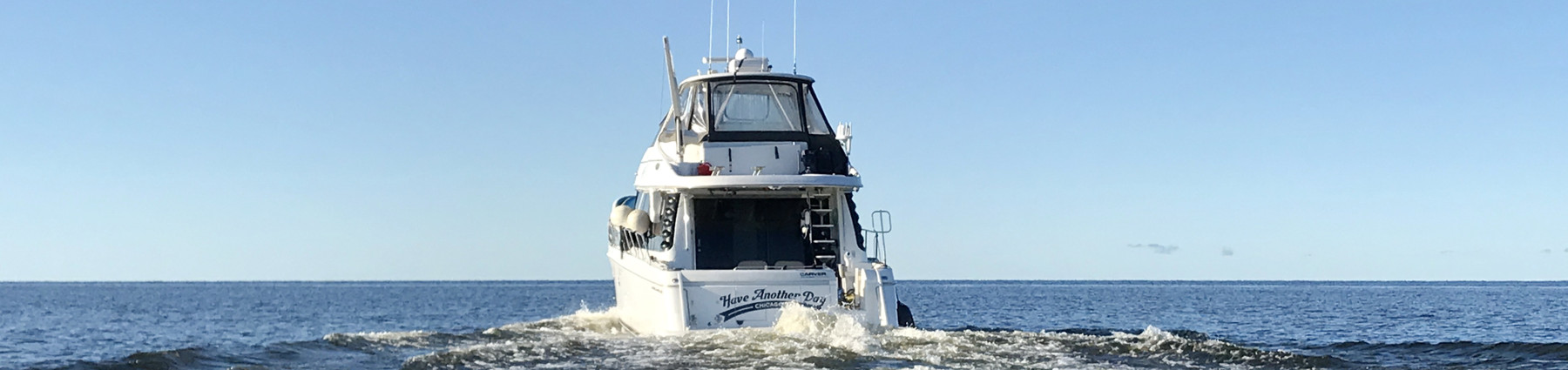
This whole last week was rich with AIS-related matters, including a fine visit with Fred Pot, but yesterday it got almost silly. First I got a call from Jeff Moser at PMY (who’s turning out to be a talented and good humored addition to the staff there), asking if I could write a feature on AIS for a special annual pub called the Yacht Owner’s Guide that’s oriented to bigger boats. Of course I will, why not, says I (FYI: I’m committed to my monthly PMY columns, and wonderfully free to choose their subject matter; everything else is by suggestion, from one direction or the other).
Latter in the day, I hooked up Fred’s SafePassage all-in-one AIS receiver/dGPS to the Raymarine E-120. Everything worked well, and darned if I didn’t see my first AIS target right in Camden Harbor (the screen above, bigger here, shows what happens when you first cursor on a target). And darn if it wasn’t Spirit of Zopilote, a well known 64’ trawler operated by a gentleman named Bruce Kessler, a reputed guru of offshore power boat cruising. I called the marina owner, who checked with Kessler, and minutes later I was onboard taking pictures and having a great gam with Bruce. So AIS helped me collect some excellent material for an AIS article, and Panbo entries to come! (By the way, Kessler is aware that he hasn’t yet re-entered some of the static info, like length and draft, since his Furuno FA 100 came back from an update, and, yes, I did obscure part of his MMSI and call sign).
This software (bigger screen here) is still in beta but it seems quite stable and adds a lot to the Airmar Weather Station, including a new name for itself, Weather Caster. Note the new pitch and roll dial; heck, I didn’t even realize that there was also an inclinometer in that casing, along with wind, GPS, heading, temp, pressure, and humidity sensors. The other big update is in the “Advanced Setup”, where you can now flash the weather station firmware (worked fine), and also control the sensor to some degree. Below is the NMEA 0183 output screen, bigger here, which is impressive, giving an ‘advanced’ user or installer complete control over the limited bandwidth, even pop-up definitions of 0183 sentence types. It’s interesting that while this and the Maretron weather station are largely meant to sit in the background feeding data to your main displays, you need a PC connection to keep them up to date and either dedicated PC software like this or a dedicated display (Maretron) to see every bit of the information they generate. At least until the display guys catch up with the available data.
Raymarine E- and C-Series, the NMEA 0183 limitation
Jun 27, 2006
I think the input/output architecture of Raymarine’s C- and particularly E-Series is really quite good. In fact, I’m amazed that the E is still the only system out there offering both NMEA 2000 and Ethernet networking, though the two work together beautifully. But a problem is cropping up. C’s and E’s have only one NMEA 0183 port, but Raymarine keeps adding things you can do with it, mostly recently AIS and Navtex. As the E manual says, “You can connect either AIS or Navtex or other instruments to one display” (emphasis added).
Now, if you have more than one display in your E-Series setup, each can handle a different 0183 input, and the data will be shared across both the Ethernet and NMEA 2000 networks (nice!). But if you only have one E, or a C, well then you may need to investigate the sometimes complex world of multiplexors (referenced at the bottom of this AIS entry). But don’t expect them to multiplex Navtex because apparently that’s not really 0183 protocol anyway. Raymarine tells me that they really wanted to put more 0183/whatever ports in these machines but just couldn’t fit them along with all the other I/O. The limitation might come in to play when, say, choosing between a 2000 or 0183 ultrasonic weather station.
Navionics kindly sent me soon-to-be-shipped version 3.13 of NavPlanner, but I’m afraid it’s not going to satisfy the critics (some of whom ganged up on this software rather fiercely at The Hull Truth). The screen shot above shows all the plotter file formats it supports, as well as some interesting bathy detail off Key West on a Fish’n’Chip. 3.13 does seem faster, and it handled every kind of chart card without crashing, and I was able to build, save, and open various route types without trouble. However it’s still pretty clunky software. For instance, there is no simple hand grab tool to position the chart just where you want it, and when you try to move off the visible chart while mousing a route it doesn’t even know to pan without getting additional commands. Also you can’t change the type of depth unit used (usually an advantage of vector charts) and most U.S. charts are thus shown in Meters.
I could go on, but suffice it to say RayTech 6.0 handles Navionics charts much better, especially Platinum ones. In fact, even, say, Northstar users might want to do their planning in RayTech and then just use NavPlanner to convert the routes to their format. That’s possible (I checked), but there may be other ways to make the transfer, especially as RayTech will export routes to coma delimited or Excel formats. And note that Fugawi is just about to add Navionics card support to its ENC software. (Both Raymarine and Fugawi will sell the special reader needed for about $75).
But if you are using NavPlanner, I can help you out with one annoying detail (that I’m told will be fixed in a future version). Right now NavPlanner (unlike most every other chart viewer out there) does not automatically, or even semi-automatically, register charts and then graphically show you what’s available. Instead you have to find the "Charts" folder and then pick your desired region from a coded list, like below. This is an extreme example as that’s a Silver card with the whole U.S. Coast on it, but even a regular XL3 card has 3 XL files on it. Which is where? Navionics doesn’t have an online code list but I found one at Boaters Land.
Ultrasonic Weather Wars, w/ Raymarine as Switzerland
Jun 23, 2006
This example will be less funky once I get this whole test rig on the water, but still that’s an impressive screen shot. All that data is coming from, or calculated using, the NMEA 2000 output of Maretron’s weather station, compass, GPS, and water speed/depth sensor. The simulated ‘boat’ is underway but almost standing still (SOG = 0.1 kt) though there’s 0.8 kt of water going by the hull (me flicking the paddle wheel). True Wind then—sometimes called True Relative to Boat—is Apparent adjusted for Speed Through Water and Heading, and Ground Wind (sometimes called True!) is Apparent adjusted for COG/SOG. (A more thorough discussion of True Wind might be in order).
And—yes, contrary to yesterday’s post—there’s Barometric Pressure and Air Temp from the WSO100. It turned out that the E Series doesn’t recognize the standard NMEA 2000 “Environmental” PGN, but will display an alternate PGN that can be turned on in the WSO. This sounds like the screwy stuff that happens with NMEA 0183, and sure enough the E also has an issue with the 0183 “Environmental” sentence, which apparently is marked “do not use” in the NMEA handbook. But Airmar says it’s the only message available for pressure, temp, and relative humidity.
At any rate, the data on the screen below is all coming from Airmar’s all-in-one ultrasonic weather station (and will be joined by pressure, etc. when Raymarine does another code release). True Wind and Set/Drift aren’t calculated because there is no source of Boat Speed, though that would be easy by wiring a speed/depth Smart Sensor into the Weather Station’s Combiner box (multiplexer). Some other day I’ll discuss comparative accuracy, value, etc., but for now I think it’s impressive that the E Series (and C) can interface with both these super sensor systems. The screen shots also illustrate the vastly improved data window control that’s come to the C and E. You can customize the five preset panels pretty extensively (blame me for the asymmetrical graph cells), and use the panels full, half, or quarter screen on any given page. Well done Raymarine, Maretron, and Airmar!
As you may have noticed from the antenna farm, I’m trying the Maretron Weather Station announced last fall. It’s hard to imagine an easier physical install…unscrew a T in the NMEA 2000 backbone, add new T and the WSO100 sensor, power and data done. The Raymarine E, plus RayTech 6.0 on the SeaTalk HS bus, immediately got the ultrasonic wind speed and direction data. Coastal Explorer got it too, as no doubt other PC programs would, via the Maretron USB Gateway (in other words converted into NMEA 0183 messages). Air temperature, barometric pressure, and relative humidity are a different story. There are NMEA 2000 and 0183 sentences for this data but so far nothing I have reads them all except Maretron’s own display. Obviously that’s also true for derived values like wind chill and dew point. At any rate, the display did need updating to understand the WSO100 and put up new screens like the one above, and Maretron has developed a nice program called NK2 Network Analyzer (below, and bigger here) that can update any device on the backbone. (PS: Just noticed that Maretron has put up a demonstration program).
It’s late and hot out, and I’m behind in so many ways…so how about a little this ‘n’ that:
* Remember the guy who was out trial sailing his schooner Maggie B. off Nova Scotia in March? Well right now he’s 13 days into a passage to Brazil and just about to cross the Equator. If I understand his Web site correctly, his crew are four French mademoiselles and an English engineer. Damn!
* NavimaQ is back. I remember back in ‘99 interviewing the couple that first developed this early and popular Mac charting program, literally as they sailed their cruising boat down Chesapeake Bay. Neither the cruise or marriage worked out, and NavimaQ has been off the market for several years. Now Barco Software has rewritten it for OS X, but it looks to me like they’ll need to market it better (more screen shots, demo, etc.) to have a chance of denting GPSNavX.
* Today I spoke to a nice gentleman who just had a bad lightning experience in Ft. Lauderdale. Headed to the Bahamas, he started up his 58’ Viking and next thing he knew his dual MTU’s were revved up in reverse out of control and he was crashing around his canal. Several of his electronics are blown out or damaged and he thinks the accident was caused by lightning screwing up the Mathers/ZF electronic engine controls (though apparently they check out OK now). Anyone heard of electronic controls going crazy like that?
* So I may have been a little jealous about the Bermuda Race last weekend (still don’t know who won), but I did manage to build an antenna farm suitable for my driveway and other test locations. Check it out big size and you’ll also get a peek at my almost new GMC Sierra hooked up to Gizmo, and ready to explore Malaga Island and thereabouts with my daughter tomorrow (which explains yesterday’s screen shot).
Actually I’ve been watching RayTech 6.0 for quite a while, as I was kindly included in the Beta testing. I think Raymarine really got it right this time. Take a look at the full screen shot, and consider all the cartography it supports. On the left is Navionics Platinum being read off a CF card in a Navionics USB reader; RayTech seems to speedily support every Platinum feature—including blended photo maps (shown), panoramic photos, 3D, port info, tides & currents, etc. (by contrast Navionics own NavPlanner hardly supports any Platinum features, yet). On the right of course is a Maptech raster chart; other Maptech products supported are photo maps (with variable blending) and topos. Finally, you can also read NT+ charts using a C-Map reader.
And consider how many ways there are to use RayTech 6.0. You can download it for free (yes, available now), grab some free rasters, and you’re all set to plan routes that you can copy onto a CF card and take to your Raymarine C or E, or email to someone, or whatever (see below, bigger here). Or you can buy a Navionics or C-Map reader and use your plotter charts to plan on, or at least compare to the rasters, again taking the routes to the plotter via card. Or you can license your copy of 6.0, and then a single Ethernet cable feeds it everything that’s on an E Series network (Sirius weather, Navtex, and AIS excepted, for the time being). I’m trying both networked and stand alone versions, as well as the Sirius weather, am impressed by all, and will report further.
I suspect I’m not the only guy a little mopy about not being in the huge fleet headed out into the Atlantic toward Bermuda right now. In fact, the usually wonderful iboat tracking system, above, seems to be jammed up right now, I’m guessing with gawkers trying to see who started well. Iboat tracking won a Sail FKP Innovation award last year, and the write up by Deputy Editor Josh Adams is available as a PDF on iboat’s home page. Josh, who is now Sail’s Publisher (oh yes, we writers like that!), is racing on the 65’ Reichel Pugh Zaraffa, while Senior Editor Kimball Livingston is aboard the Open 50 Gryphon Solo, and Roaming Editor Charlie Doane is aboard Avocation, a Swan 48 owned by Offshore Passage Opportunities and chartered by some “Aussie lunatics”. In other words, Sail is covering this race very well. Plus Alex on Finesse is business manager of Sail and PMY, and our blog buddy Eli is racing. Shouldn’t I be meeting these boats in St. George to debrief the electronics?
PS, 6/19: iboat tracking has been working pretty well since Saturday afternoon (though you can see on the full screen that the wind overlay is a mite funky right now). Zaraffa is 1st in class (the biggest class) and 2nd overall—way to go, Josh—and even Finesse is hanging in (though promised e-mails failed to materialize).
PS, 6/20, 8am: The light air has really shaken up the usual leaders list, and the 4am unofficial leader board is showing a freakin Swan 56 as 1st overall, Josh 2nd, and Doane (w/ “Aussie lunatics”) an astounding 20th. Can’t wait to see who the real winners will be.
PS, 6/22: I fixed the link above to the “real winners” list, and it’s now almost totally complete. As of last night, there are still some boats out there, like Chase, skippered by Ocean Navigator publisher Alex Agnew. Also discovered that Kimball Livingston has put a couple of good posts about his Gryphon Solo race.
I hear it’s a little foggy in Newport today, but I doubt it’s dampening the excitement about tomorrow’s 100th Bermuda Race. A couple of weeks ago I visited Alex Merrill aboard his dad’s J42 Finesse, above, just before they sailed from her winter berth in Maine (the phenomenal Lyman Morse yard) to Newport. The compact electronics system, much upgraded last winter, features a Raymarine E80 networked with a built-in VEI Marci computer running RayTech 5.0 and displaying on a Big Bay 10.4” monitor. Note the little WiFi antenna at top left in the photo, bigger here. Finesse actually shifted berths while I was visiting to get a better WiFi connection so Alex could download all the weather he wanted for crossing the Gulf of Maine. I’m sure he’s doing something similar in Newport right now, but during the race he’ll be limited to the ultra narrow bandwidth data available via the fixed Iridium and the SGC SSB (no, I hadn’t heard of the SGC brand either, but the Lyman Morse electronics guy is fan). Alex will be updating Panbo during the race, and we’ll be looking at Finesse’s system in a little more depth.
My photo is none too great, but at least at bigger size you can make out the hardware components. Port Network’s approach to marine WiFi is not a fixed high dB antenna but rather minimizing the distance between an independent, well amplified WiFi radio and its relatively small antenna. The wiring is further simplified by ‘injecting’ power into the 25’ Ethernet cable. The result: a waterproof, portable WiFi bridge that you deploy on deck when you anchor or tie up. I’ve tried it now in Boston and around Camden Harbor and can say with assurance that it locks in way more WiFi signals than my little Linksys PCMCIA card. It finds available access points automatically, too, though you can use a browser to get into its extensive software, below, and survey what APs are in sight.
The screen shot, incidently, shows how two commercial providers, Abacus Technology and Mesh-Air, have blanketed Camden Harbor with WiFi, and right now the latter is giving it away. Thank you, Mesh-Air. I could barely get two of those APs with my regular card, but I must say I’m curious how this thing would work with a 9dB antenna. On the other hand, it would quite handy as is in several hotels and other situations I’ve been in over the last year. (Here’s a PDF describing the MWB-200 in more detail, and here’s its online store blurb).
PS, 6/15, Port Networks comments:
To answer your speculation about how it would perform with a 9dB antenna: great, when it worked at all. Here's why...
Omni antennas like these are passive devices, achieving their gain by focusing the signal passing through them. They redirect signal that would go up and down, using it to push farther out to each side. (Imagine someone taking a ball of dough and squeezing it down into a pancake. The radius of the pancake is considerably larger than the radius of the ball, and that's the gain.) The tradeoff for higher gain is less coverage -- relatively little signal is being sent above and below that horizontal beam. With a very high-gain antenna, the beam is so flat that alignment becomes critical. If the antennas on either end aren't in exactly the same plane, then they won't even communicate. We chose a 5.5dB antenna to provide a balance between gain and a wider beam. A 9dB antenna would provide twice as much gain, but if the boat rolled, or the antenna wasn't at 90 degrees to the path between the two radios, etc., the signal might be lost entirely.
P.S. I should mention that the above applies primarily to omni antennas. Another way to get gain without giving up too much beamwidth is to use a directional antenna, akin to the reflector inside a flashlight. We will be introducing a second model with a directional antenna shortly. By virtue of its directionality, it will have to be aimed, and you'll therefore need to know the location of the access point to which you want to connect, but for those people who are in the situation of trying to connect a long way within their own marina, it will offer twice the gain of our current model.
This is the first wheelhouse photo I’ve seen of Jim Clark’s Athena, and it sure looks like the thoroughly PC followup on Hyperion we expected.I wish I had more detail on the electronics, but neither Seascape nor Royal Huisman is giving much away. In some respects, the most interesting aspect of the photo above is that I saw it at beautiful resolution (shown here) in the latest (June/July) online edition of Professional Boatbuilder. PB, or ProBoat, or whatever, is one of the best marine publications out there, I think, but it used to be damn hard to qualify for a subscription. Now the whole magazine is available online to everyone, and in a format that I find very readable on my various PCs. ProBoat has actually been doing this for a year, which means that Nigel Calder’s interesting three part article on “Networking: The three-cable boat” is completely available, starting with the Oct/Nov 05 edition (and also means, by the way, that I was wrong when I first mentioned the series here).
I’m happy to report that GSM phones not only do voice calls in midcoast Maine (finally), but also data. The bit of screenshot above shows a program called Motorola Phone Tools Deluxe 4.0, which can set up an Internet connection quite easily (though I did have to call Unicel for an ‘apn’ address because it’s not one of the many presets). Once set up, it’s just a matter of plugging the phone into a standard mini USB cable and hitting that lower button. It shows a speed of 230 Kbps (though it doesn’t feel that fast) and it logs the amount of data passed. This bodes well for checking my email when I’m beyond local WiFi access points. The software, by the way, also does well at backing up the phone, synching it with selected Outlook calendar and contact info, and making your own wall paper and ringtones (the long intro to UB 40’s “Rat in me kitchen”, if you must know…and, sure, you can have a copy
). Plus the phone charges via the USB cable.
Meanwhile, I’ve continued to experiment with GYMsim. It works fine in Boston, on my phone and also on my daughter’s unlocked Sidekick, but does not seem to work with my local Unicel GSM service. The voice mail is nicely done, and you only pay the base rate (.39 Euros a minute) to listen to them (unlike some cards where you’ll pay roaming fees both for the getting and listening to the message). Best test: I handed the package to a friend flying to Copenhagen on Friday, then called the Liechtenstein number today. GYMsim is working fine for him, and he’s already figured out how to query his remaining balance and “top up” at GYMsim’s site.
Georeferenced panoramas, and happy to be home again
Jun 9, 2006
I’m pretty sure that Maptech was the first to add panoramic photos to its electronic charts, but now they’re everywhere. Nobletec Passport Deluxe, Navionics Platinum, C-Map MAX, and Garmin BlueChart G2 all have their own (or licensed) panoramas. But Maptech has upped the ante, at least on the SRN/i3, figuring out how to georeference the whole photos, not just where they were taken, so your boat can be overlaid on them. It is not critical for navigation, but it is cool. Check out the larger size image of the above panoramic showing Quincy’s Marina Bay with Boston in the background. I’m not sure the overlay always works out as neatly as this, but there in red is the Sea Ray I took this picture on, perfectly positioned in her comfortable home slip. Speaking of which, I am now comfortably back in Maine, my apartment and treatments in Boston all history. Hallelujah! I don’t care if it rains all weekend, and I hope you’re feeling the same.
So here’s where I was during some of Wednesday’s Northeaster, on the bridge—tightly enclosed, thank goodness—of Dennis Barca’s spanking new 2006 Sea Ray 44 Sedan Bridge. The occasion was a chance to observe the training portion of the “Red Carpet Advantage” which Maptech includes with that Sea Ray Navigator on the dash, also known as a SRN, and also marketed as the i3. The Red Carpet concept means that if a new owner like Barca registers SRN (who wouldn’t?), he gets an extra year of warranty, for a total of three, and a two hour SRN orientation onboard his own vessel. The training is wisely scheduled for a few weeks after he or she has taken possession of the boat and has thus had a chance to try the SRN and develop questions. In fact, Barca had already owned a smaller Sea Ray with the first generation SRN on board. He definitely noticed the many improvements in this third edition (well described at Maptech), as did I. The tutorial was delivered by Rick Kilborn, below, founder of a neat training organization called Boatwise, which offers all sorts of courses including docking using your own vessel, and has been contracted and trained by Maptech to deliver the Red Carpet in New England. At any rate, it was too soggy/windy to get underway but I think Barca learned more than he already knew about his SRN, and he’s definitely a satisfied customer (as can been seen better in bigger versions of the pictures above and below).
The impressiveness of the above, bigger here, was no doubt heightened by how BIG the weather was around Boston today. I was supposed to go boating on a 44’ Sea Ray but even a few hours tied up in a very protected marina felt heroic given the volume of wind and rain. The project was interesting and I’ll tell you about it tomorrow, but today I’ll just show you the wild and crazy phone one of the guys pulled out. That is the Weather Channel playing on that Verizon XV6700 and it looked and sounded quite good. I was tickled a few weeks ago just to see just static Nexrad on a phone; this TV feed included not just animated radar and sat imagery but a live forecaster (as long as high speed EvDO is available). And it’s source was not some Web site but rather the owner’s own home TV setup which is equipped with a Slingbox, able to serve whatever channels he already pays for out to the Web where he can watch them even when he’s not home, even when he’s rolling around on a boat. The software is SlingPlayer Mobile and apparently it can even control a Tivo type recorder. So beyond live Weather Channel are a lot of other intriguing possibilities.
I’ll characterize NavGator Mariner, above, as a work in process. I couldn’t find many normal ECS features, only rasters are supported, and the chart management is crude to say the least. What’s interesting, though, is that NavGator is written in Java so that it can run on multiple operating systems. So far that means Windows, Linux, and Sun Solaris, but others will “soon be released”. The developer also has a Pro version “designed to be the core of the ‘glass cockpit’, where all electronic functions are integrated into a seamless, highly reliable, high performance environment.” The full screen shot is here (also showing off the full 1440 x 900 pixel goodness of my new laptop LCD).
So immediately after I bragged/blogged about riding the high tech LimoLiner to New York City, I managed to incapacitate my laptop! It was pouring buckets when we stepped off the bus, but I just didn’t think about leakage through the zipper of my snazzy rolling computer bag. I’d left the laptop in standby mode, too, which I think may have compounded the poor thing’s fragility to a few drops of water. At any rate, I did notice moisture and I did try to dry it out, but when I turn the old Gateway Solo on all I get now is a “can not find operating system” error message. It may be repairable (and I do have a boot CD back in Maine), but I thought this a good excuse to buy a new mobile computer (with a wonderful 17” screen). And I lost very little data as I’m fiendish about backing up (pat on back). Still, the whole deal has set me back time wise, and I don’t yet have all the software tools I need to create full Panbo posts. So posting may be raggety here until I get back to Maine at the end of this week. Treat your electronics better than I do!
Blogging on a bus...trying, and liking, cellular Internet
Jun 2, 2006
If you ever travel the Boston to New York corridor, you might want to try LimoLiner, a high-end, 28–seat bus that runs several times a day from a Hilton next to the Prudential Center to another Hilton at 53rd and 6th Ave. I’m aboard right now, and this thing is wired! I’m listening to CNN through a pair of noise cancelling earphones and there’s a fairly new DVD movie playing on the other flat screen in my area. I’m also using an onboard WiFi network which in turn is using a Verizon cellular data connection, a setup that looks attractive for boats too, as we’ve discussed before. I don’t know if the particular Verizon radio on this LimoLiner supports high speed EvDO (well covered in a recent PC World), but I doubt it as I haven’t seen really high speed performance even as we passed through downtown Hartford. On the other hand, I’ve had a fairly decent connection—as seen above, and using 1x technology I think—most of the trip (CNN has stuttered some too), pretty impressive at around 60 MPH. Maybe this bodes well for a boat cruising along the coast hereabouts. By the way, I learned that Verizon is the data provider from the voyage attendant, who also served lunch and a snack. Not a real liner but a really nice bus. Have a great weekend.
Above, in a scene from my DSC testing, the Northstar NS100 has just received a position requested from another radio and the E120 has automatically picked up the message and is offering to place a waypoint and even make it a “go to”. Very cool, except that when you look at the bigger picture, you’ll notice that the position received is an overly tidy 44 13’.000N by 069 04’.000W. It’s damn hard to get yourself that geopositionally neat, and in fact I’m pretty sure this had to do with an ugly little DSC detail known as the M821 expansion. Apparently the original DSC spec had radios sending position in whole minutes, probably to save bandwidth. Later ITU recommendation M821 lets manufacturers optionally broadcast to the accuracy of the attached GPS. That means that the radios have to ask for and send the extra digits of lat and long as another message. DOH!
Actually all the radios I tried (Icom 504, Uniden 625, and Standard Horizon GX3000S, besides the Northstar) seemed to handle the extra precision fine. I suspect that the zeros above, which I didn’t notice until I looked at the pictures, were the result of the second message somehow getting lost. Still, I’m told that there are plenty of “minutes only” radios out there, so if you ever see such a neat DSC position, realize that you’re looking at the corner, bottom right in North America, of a location box that’s one minute square (which good map heads will know is always a nautical mile high but only a mile wide if you’re on the equator).
Finally, note that what you see above is all that a Raymarine E or C series will do with a DSC position, whereas the Garmin 3120 below (bigger here) and some other plotters will let you attach names to MMSI numbers and will keep lists of received calls. I asked Raymarine about this and a product manager said that while he thinks the naming/listing features are cool, he’s not sure they worth the programming resources because so few boaters are really using DSC yet. Point taken!
DSC position requests, a whole lotta beep'n going on
Jun 1, 2006
Geez, it’s been more than a month since I promised some entries about all the DSC testing I did, and I’ve only posted a sidetrack about my sloppy wiring. Well, let me say that I saw DSC work pretty impressively. It was easy to get and program in free MMSI numbers from BoatU.S. and Sea Tow. Then, once I got the annoying NMEA 0183 wiring straight, all four radios accepted position info from either the Raymarine E120 or the Garmin 3210. Inputing another radio’s MMSI, then placing an individual voice call, or sending a position, or asking for a position…all went well. And since I’d done a two way NMEA interface, both plotters, and a laptop running Nobeltec VNS 8, all automatically plotted those position asks or receives. Neat stuff.
But there were some hassles. One function I paid particular attention to was position requesting because that’s how Sea Smart’s interesting AVL tracking works. By default if someone requests your position each radio beeps you for a confirmation, which makes sense privacy wise. Each also lets you turn on an alternate automatic request respond mode (if you can figure where to go in the menu system). But they all still beep, and most still want an acknowledging key punch before they stop beeping! I guess the idea is that you’d want to know if someone got your position, but in the case of AVL this could become quite a beeping pain in the rear. Only the Standard Horizon GX 3000S above had a total silence option (though buried in an entirely different menu). Overall, DSC is fairly complicated to use, and pushes the limited radio interfaces to the wall. Methinks that’s partially why so few people have gotten into it, though I’d guess the main reason is that old communications gotcha — it takes two to tango. But once you and some buddies get your DSC squared away, look what it can do on, say, a Uniden 625 (here, and bigger here, showing not only your own heading but a bearing and distance to your MMSI buddy).